Contents
Web Filter
FortiGuard (New)
Starting mid 2024, we started to rollout a new web-filtering system (shutting down NxFilter) powered by FortiNet FortiGuard. This is built-in directly on our network hardware which helps simplify management and licensing for the filter. It also has much more precise filtering available as compared to NxFilter. You no longer need to log in, in order to get elevated privileges to access sites normally blocked. It’s now tied to the computer you’re using. Another added feature is that it will display the block screen properly even on Firefox where as Nxfilter did not work well with it before.
As mentioned before, there is much more granular control on the filter now. So there are levels of being blocked. A website may be absolutely banned preventing any access to the site. The web filter will show a similar block screen as with the previous web filter with a button to request a whitelist.
Blocked
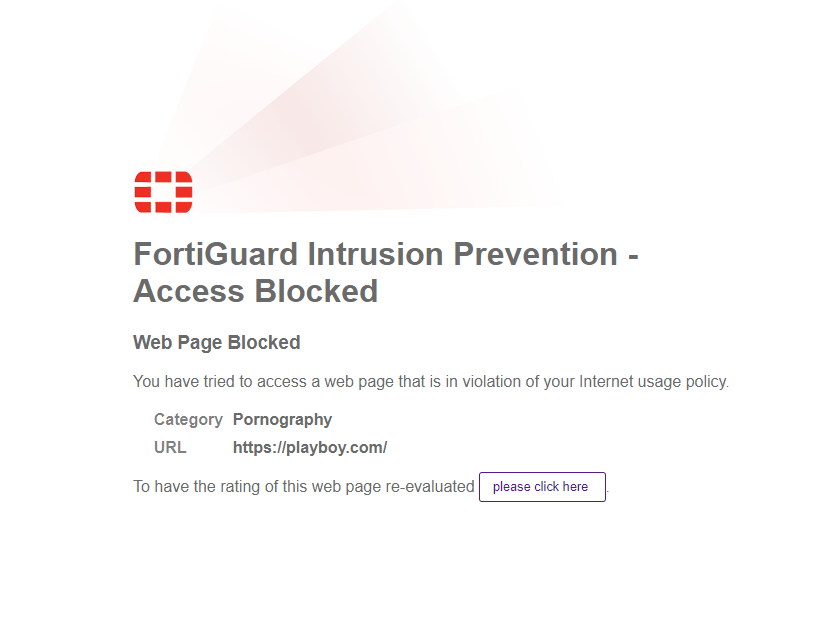
If a website is actually blocked, you’ll see a screen like the image above. If you believe it’s been mis-categorized or you need access to it for legitimate reasons, just click on the “please click here” button to fill out a form. That will open a ticket for us to review the request.
Warning

This second screen you won’t see too often, but it is an option available. This is where it may warn you that the category may be an issue (possibly dangerous or in a category that is flagged). But you will still have the option to proceed regardless and/or fill out a request to have it re-evaluated.
Authenticate
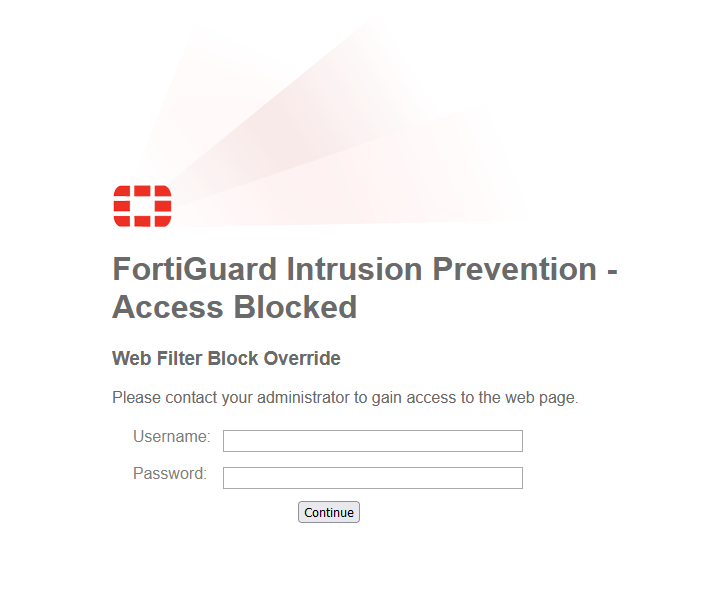
This final screen you should see very rarely, this is currently only enabled for websites that aren’t categorized at all. This is when a website requires authentication to continue and is in place to avoid users visiting malicious sites by accident. This following screen is shown after you click on “Proceed” on a Warning screen, it will then ask to provide credentials to continue.
Request Form
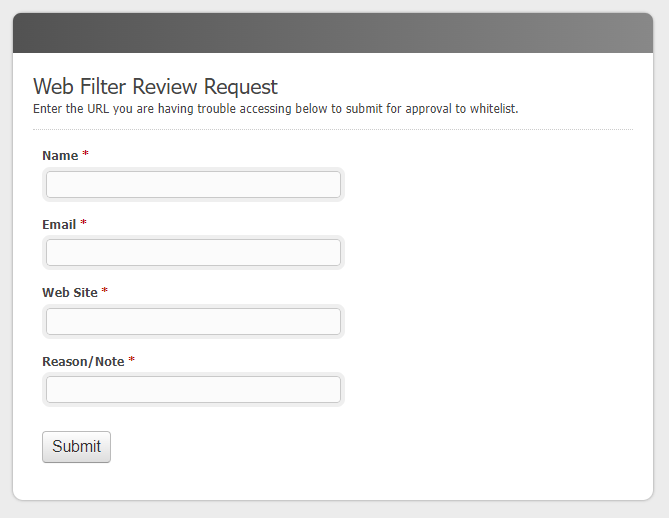
Just like it was with the NxFilter, just fill out the form to open a ticket with IT to have us review the website in question and we’ll get back to you if we’re able to unblock or re-categorize it. Often times it is just mis-categorized and once the category is fixed the site is no longer blocked.
To fill out the form, just enter your name and email address so we know who is requesting it and to be able to reply back. The website you are trying to access, so for example: walmart.com or amazon.com. Finally a reason for why you need access to the website. We record this reason to help justify a whitelist if we have to review it later in the future. Please try to give a little detail on this as we have had requests in the past that just say “because i use it”. Which doesn’t actually explain the “why” if we have to defend the decision later that it was whitelisted.
How a web-filter works
Web filtering is not an exact science. As a matter of fact, filtering has to be “taught” what to filter. We start out buying a package, that is basically a generic filtering system. Then we “teach” it to adapt to our work parameters.
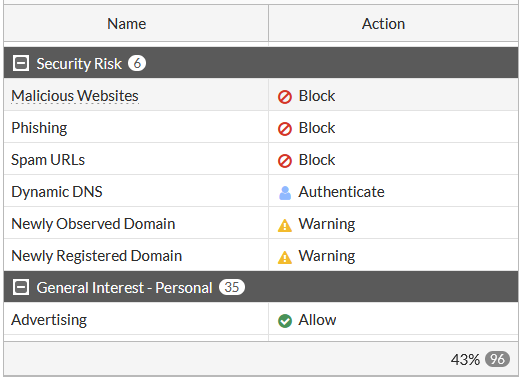
The filter itself comes with “categories” and allows us to determine whether they are allowed or blocked. This can vary by policy applied for individuals or departments (to allow some folks to visit sites others are not allowed to).
In most cases, when you request to have a URL reviewed, IT will often review the site to determine why it was blocked. 90% of the time it is due to an incorrect category. We will override the category to correct the issue and that will resolve the problem. In the rare cases where a site legitimately needs to be whitelisted, we can make the necessary to the applicable policy for that individual.
There are two more specific examples that should be noted:
At the bottom of the list, you will see “Unrated” is set to Authenticate. That means anything not categorized will require additional access before it allows you to visit the site. We cannot allow this group as hackers open thousands of web sites daily and we need to protect PSAB from these potential threats. Please understand that we will need to review URLs in this category, so simply click the link when the blocked message appears which will submit the URL for review.
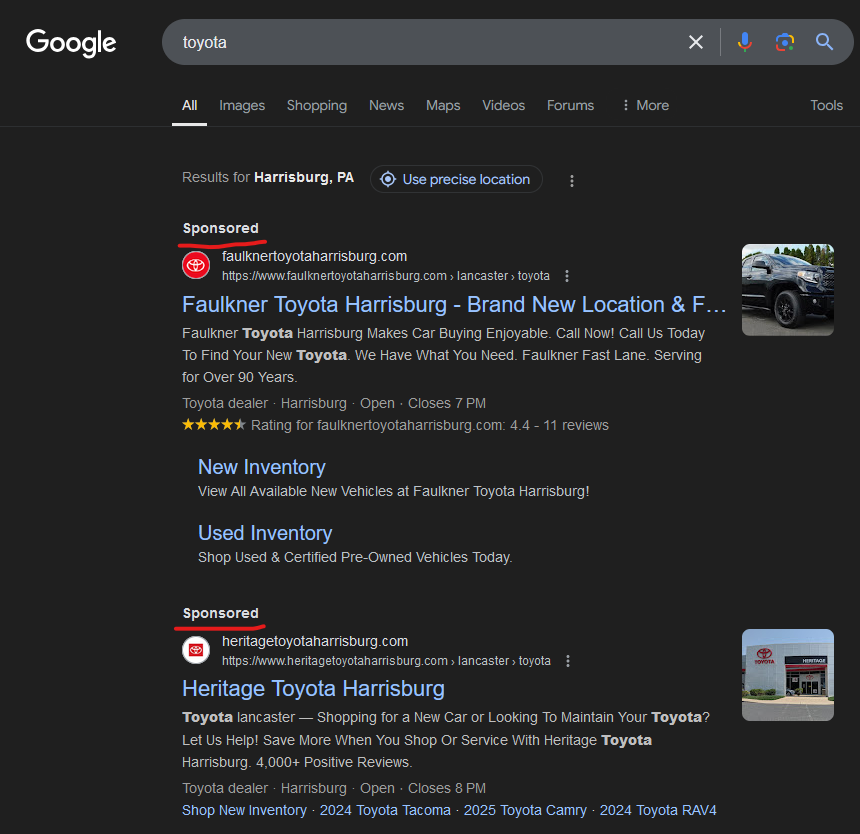
If you Google something, and the link returned has a “Sponsored” title above it, you may see a warning screen when you go to visit that site. Links with the word “Sponsored” at the top of a Google search are actually paid links that Google posts on the search page. These links to do not actually go to the indicated website immediately, but rather are “redirected” through servers that track your name, address, location, etc. and then, you are forwarded to the actual website. If you have an Ad Blocker installed in your browser you may see a warning screen to ask if you would like to proceed or not. In 99.9% of the cases, you can scroll down the Google search results and find the same link, but without the Sponsored link. Those will normally work.
We hope this explanation will help staff understand the use of web filtering. As time goes on, the filter will require less and less adjustments and will settle in to “our” work patterns. Below is a sample policy, but gives you an idea of the categories available. These categories are updated periodically by the manufacturer. There are often hundreds of categories to pick from. You can view the full list of categories used by FortiGuard on their web filter categories page.